How to work with files in D365 FO Part 2 – Browse and download files stored in DB, attach files to the new Document Management

Let’s have a look at the ways for browsing and displaying the files using the new web interface of Dynamics 365. I will give you a couple of different options to send the files to the user, and later mention about the new document management in Dynamics 365 and a way to preview the files you have stored inside a form.

We create a simple form to display the stored file data in a grid, using the table from our previous blog as datasource. We add two buttons to our form, one to download the stored file (or view it using browser plugins), another button to attach the file as a file attachment to the record itself.
Continue reading “How to work with files in D365 FO Part 2 – Browse and download files stored in DB, attach files to the new Document Management”

How to work with files in D365 FO Part 1 – upload, download, read and store files in DB

Ability to work with local files and folders in the new cloud based AX7 (which we used to do with WinAPI class methods) is now depreciated. Instead, we have some new options for working with files on the cloud environment like Azure BLOB storage, temporary storage and Sharepoint. Since the new interface is web based, we have ability to upload files into various new storage options and download those using urls, instead of direct interaction with disks, files and folders.

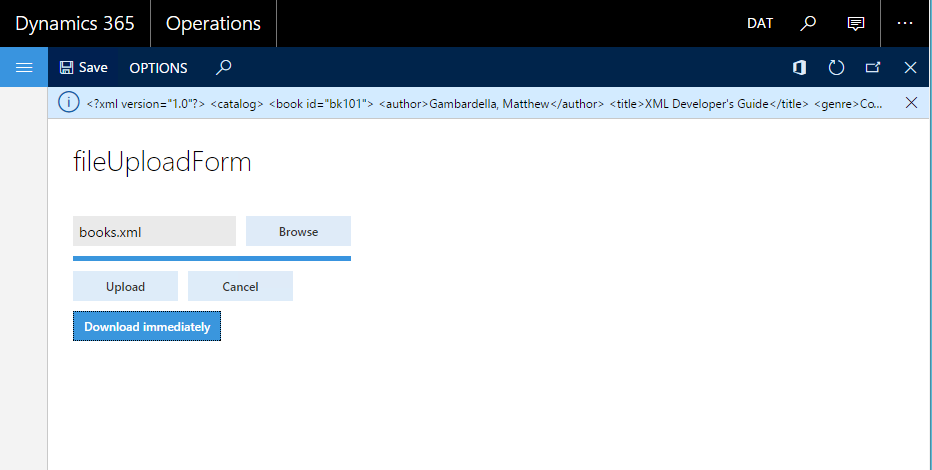
Now let’s have a look at those new file upload methods starting from a single application which we upload a file to temporary storage and after upload finishes, display its file path and download it back.

Continue reading “How to work with files in D365 FO Part 1 – upload, download, read and store files in DB”

How to draw on a Dynamics AX form window control using .NET drawing functions

Dynamics AX has a standard window control which you can display images or draw simple figures and bitmaps using WinGDI class of the Dynamics AX. Those class methods use standard low level Windows GDI drawing functions and do not support many of the features came with today’s .NET drawing libraries including alpha blending and some 2D and 3D drawing libraries. What if you would like to use all .NET features on AX window control instead of sticking with simple WinGDI class functions?

Continue reading “How to draw on a Dynamics AX form window control using .NET drawing functions”

Using .NET Custom Form Controls on Dynamics AX Forms, A Custom .NET Color Selector with Managed Host Control

From on Dynamics AX 2012, it is possible to add any .NET Windows Forms control to Dynamics AX Forms and use it directly inside Dynamics AX, which adds much more power and flexibility especially on scenarios that standard AX controls does not solve your problem. You create those controls by creating a new Windows Forms Control Library project from the Visual Studio and referencing it in AX to be used as your managed host control.
We will have an overview on this new functionality by creating a custom control that displays a combo box with a color list in .NET Visual Studio environment and using it on a simple test form to test functionality in Dynamics AX. As you know on some forms in Dynamics AX, there are color selection fields that enable you to assign a color in integer presentation to be used as a background color in grid lines or other places like Gantt chart in Production module :

Continue reading “Using .NET Custom Form Controls on Dynamics AX Forms, A Custom .NET Color Selector with Managed Host Control”

Dynamics AX Table Caching with Examples Part 1 – Basics, Found, Found and Empty

In this blog series, we will have a deeper look into the Dynamics AX table caching system, which is essential for writing Dynamics AX solutions that perform well and is generally overlooked by programmers. We will have to look at that feature step by step and test it with some code examples.

Continue reading “Dynamics AX Table Caching with Examples Part 1 – Basics, Found, Found and Empty”

.NET goes open source and multi platform with the new framework

Remember those old days of Windows vs. Linux battles? Linux being a free and open source operating system held the biggest market share on server systems whereas Windows was the chosen operating system due to its simplicity by desktop users. Developments in the mobile world changed that game and as the popularity of smart phones and tablets increased, Unix based Apple IOS and Linux based Google Android became most popular mobile operating systems.
In April 2011, Microsoft announced that they will open up the source code of Windows, which shocked whole IT community.

clip_image002-custom

Continue reading “.NET goes open source and multi platform with the new framework”